 In development
Hotseat
One desk, several computers, one key.
Hotseat moves your keyboard, mouse, headset and monitor between two or three computers with one key.
Hotseat is in development and not released yet. It works today on Windows 11 and Ubuntu 26.04; the macOS version is in beta.
What it does
One key, or the edge of the screen
Press F11 to go to the next computer. If one of them has a screen of its own beside you, push the pointer past the edge and the keyboard and mouse go with it.
The monitor follows
The shared monitor changes to that computer's input by itself, over DDC/CI. No reaching for its buttons.
Copied text comes along
Copy on one computer, paste on the next. Files can be sent to another computer from the Hotseat window.
Sound follows, or goes alone
The headset stays plugged into one computer and plays the sound of the one you are on. You can also listen to another computer without moving the keyboard.
Paired with a code
Computers are paired with a 6-digit code, and both show the same fingerprint for you to compare. The link is encrypted and stays on your local network.
You choose what moves
Keyboard, mouse, sound and monitor can each be pinned to the computer they are plugged into. A pinned device stays there when you switch.
- No account
- No cloud
- Works on your local network
A closer look
Real screens of Hotseat, with sample computers.
The desk
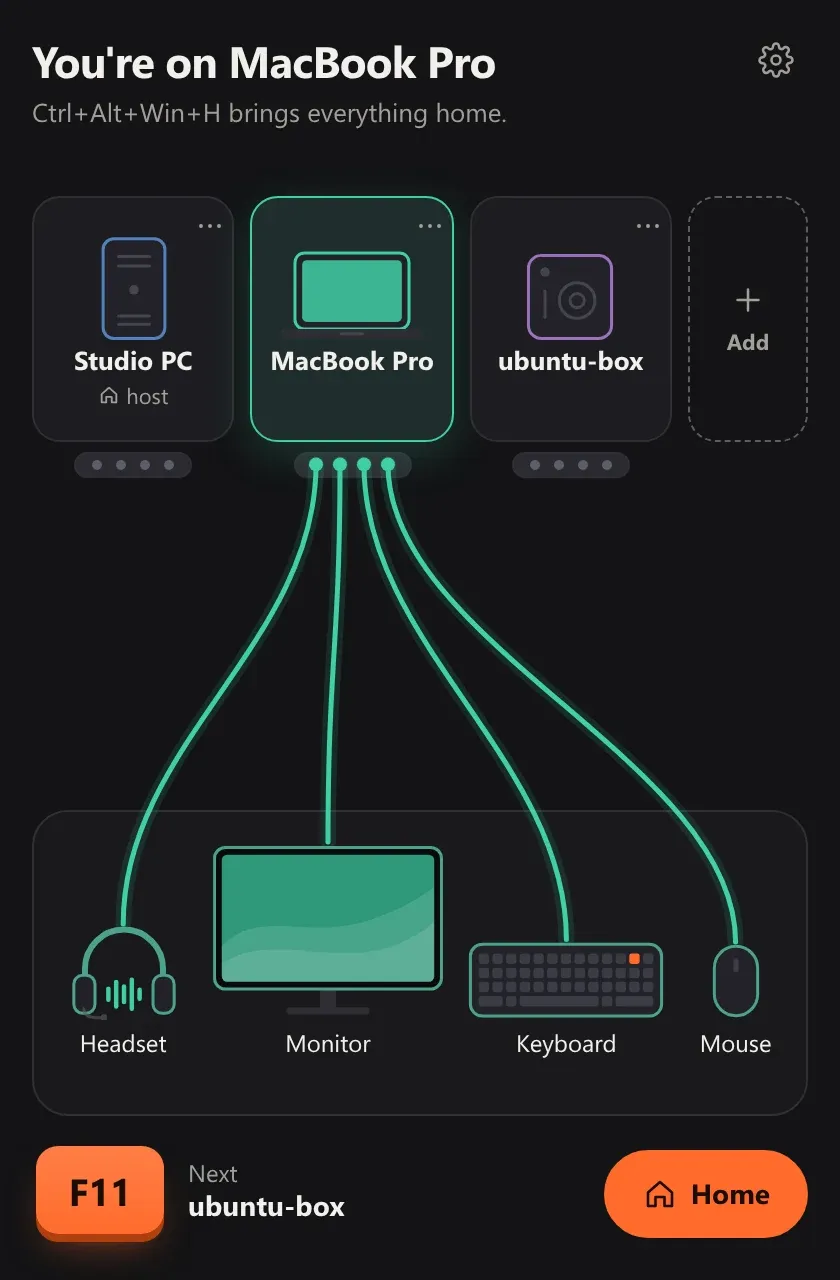
Your computers on top, your devices below, and a cable from each device to the computer it is on. Click a computer to switch.
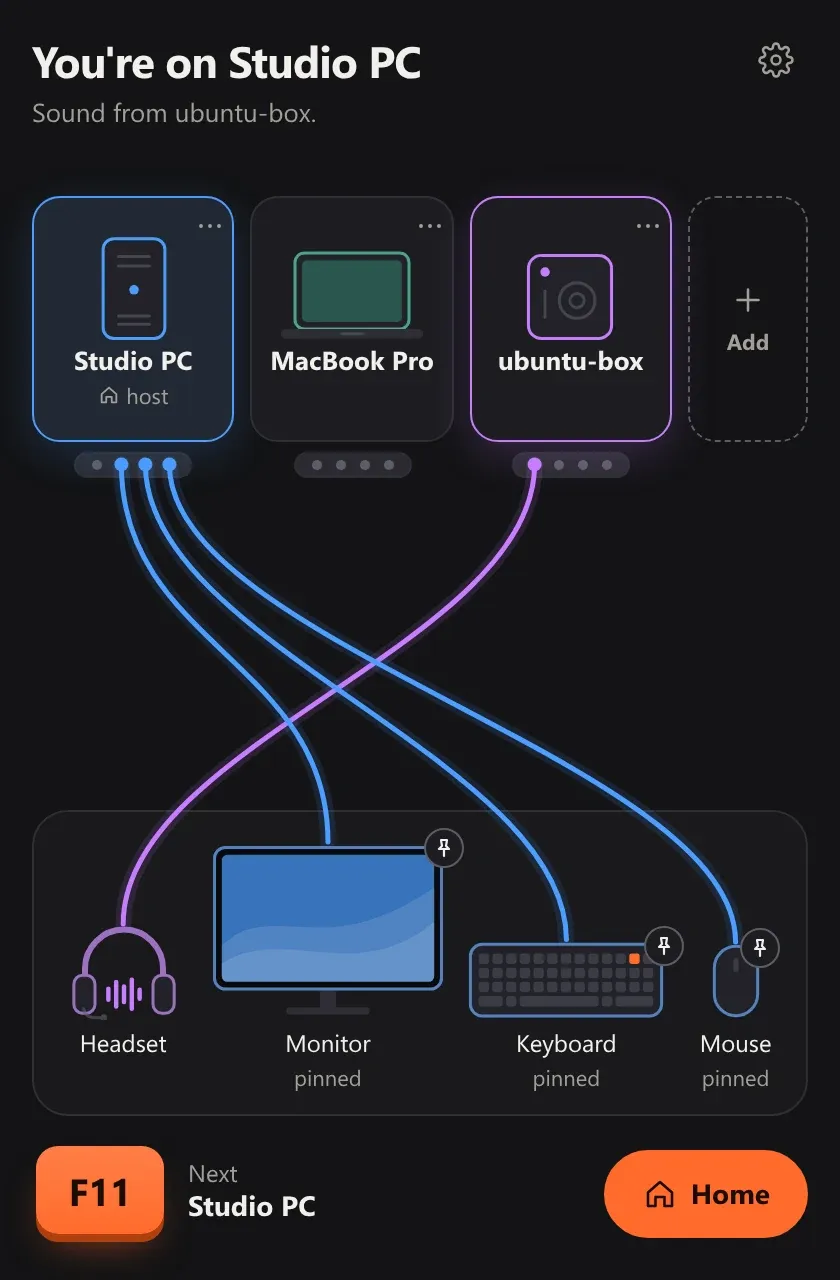
Sound on its own
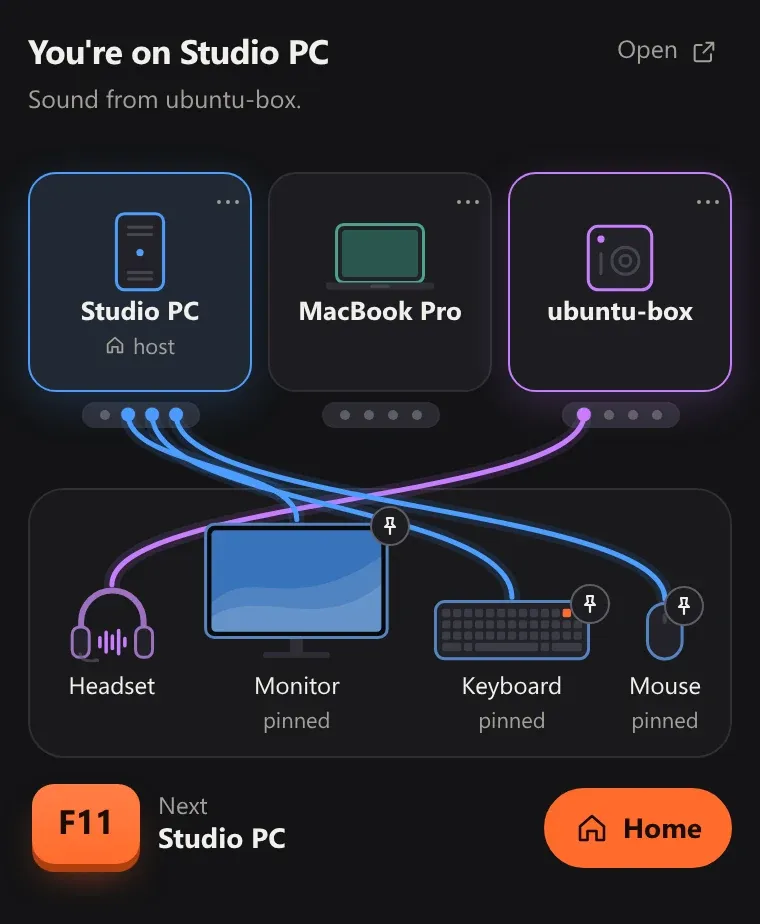
The headset plays another computer while the monitor, keyboard and mouse stay pinned where they are.
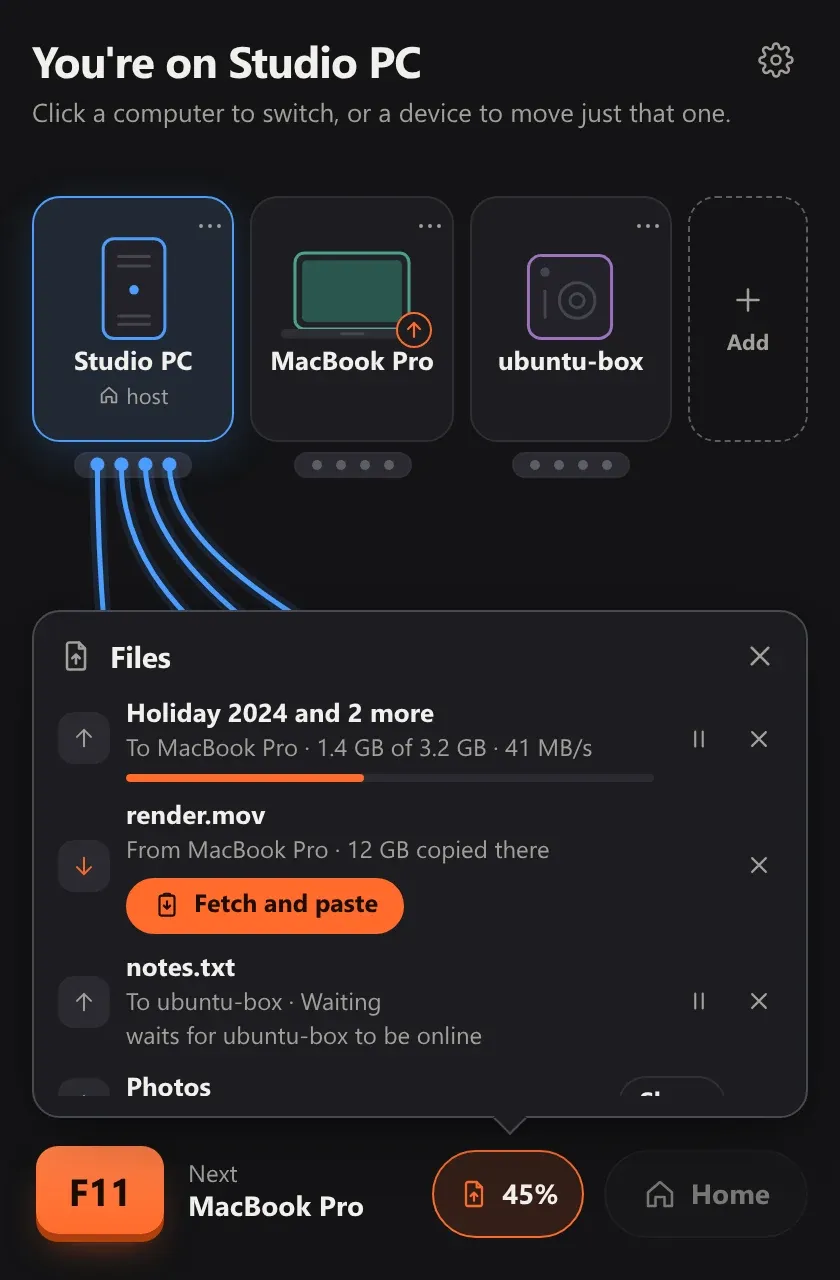
Files
Files go to another computer from the Hotseat window, each with its progress.
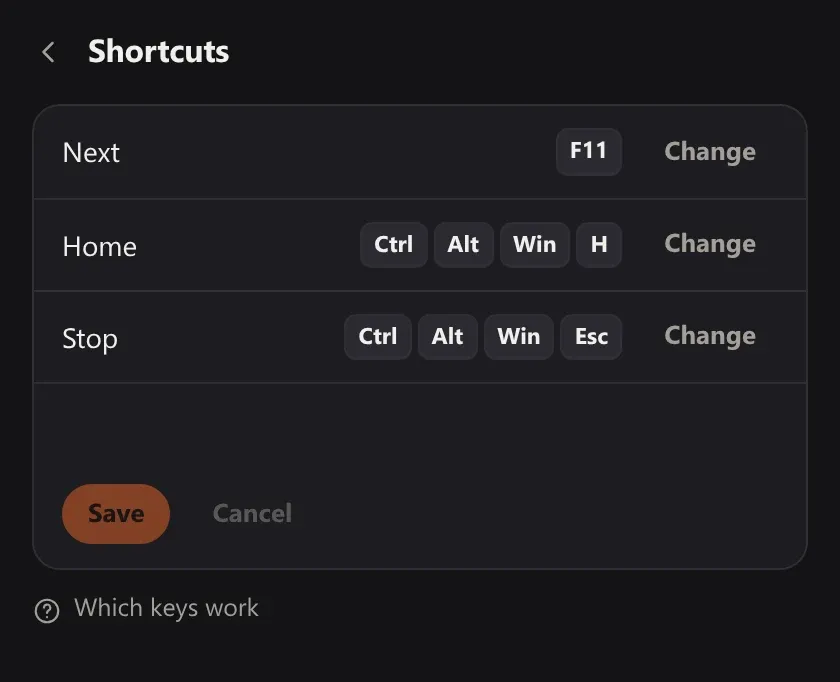
Shortcuts
Three shortcuts: the next computer, home, and Stop, which brings everything back at once.
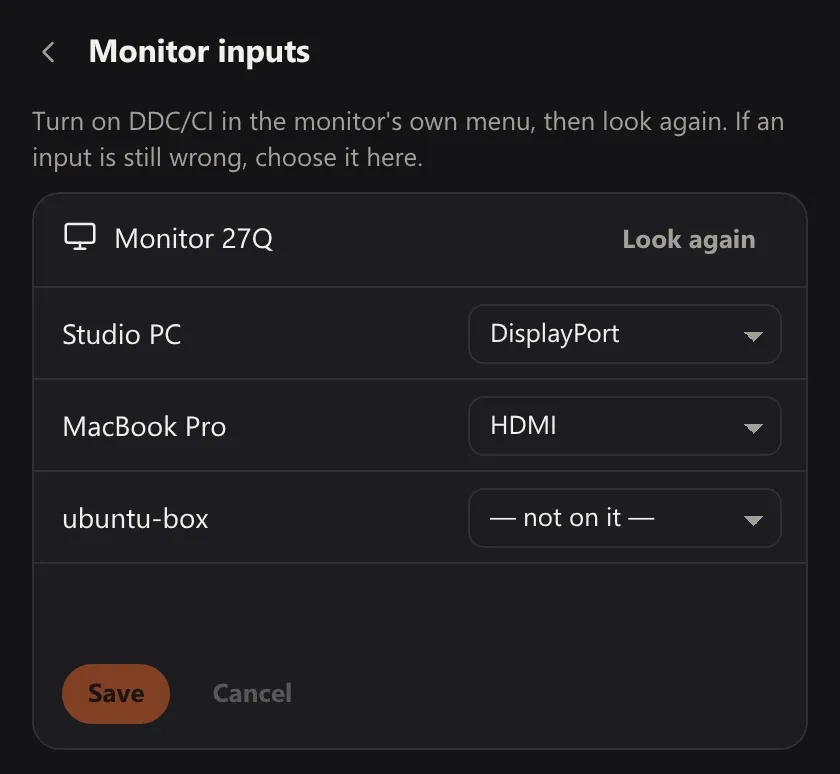
Monitor inputs
Say which input each computer is plugged into, and the monitor goes with the keyboard.
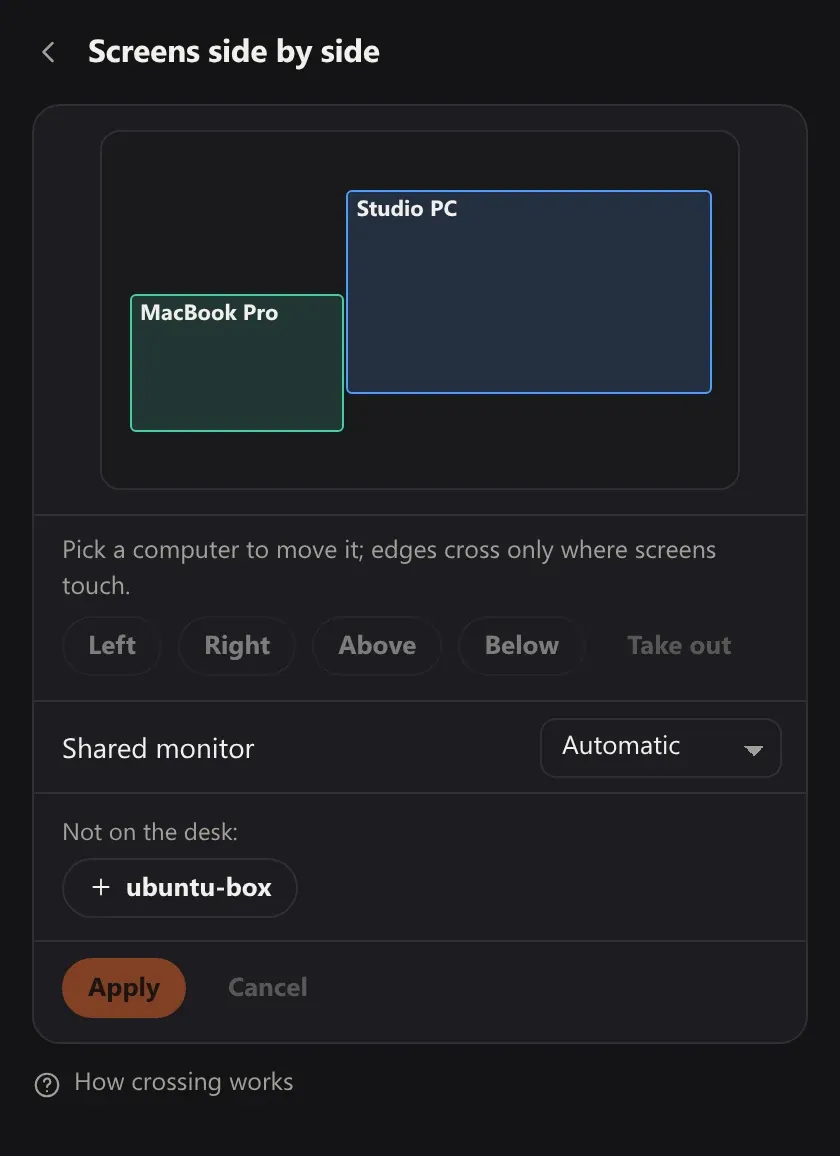
Screens side by side
Show Hotseat where each screen stands. The pointer crosses only where screens touch.
About Hotseat
Hotseat is for a desk with more than one computer on it: a work laptop beside your own PC, a Mac next to a Linux box, two towers sharing one monitor.
Press one key and the keyboard, mouse, headset and monitor move to the next computer together. Press again for the one after that.
There is no account and no cloud: the computers are linked over your local network.
- Status
- In development
- Runs on
- Windows, Ubuntu, macOS beta
- This page
- appkin.dev/hotseat
- The app
- hotseat.appkin.devOpens when the app is released.
- Help
- hello@appkin.dev
- Published by
- Appkin